
In short: Most pharmacies hesitate to switch to software because the counter cannot stop for a week. A staged PharmaDesk setup loads the medicine list, suppliers and opening stock with batches and expiry first, trains the counter staff on billing, and only then switches over, so the pharmacy keeps serving customers throughout.
Many independent pharmacies still run on a mix of handwritten purchase registers, a basic billing program and the owner’s memory of what is on the shelf. It works until expiry losses, stock-outs and month-end reconciliations start eating into margins. This case study walks through the challenges we see when a pharmacy decides to switch, and how the PharmaDesk setup is handled.
The challenge: a busy counter that cannot stop
- No single medicine list: names, strengths and pack sizes written differently by different staff.
- Batches and expiry on paper: expiry dates are checked only when someone happens to look.
- Unknown opening stock: nobody is sure exactly what is on the shelves today.
- Supplier bills in files: purchases are hard to trace back to a supplier or a batch.
- Fear of disruption: the owner worries that learning new software will slow billing and annoy regular customers.
How the setup works
A PharmaDesk setup is staged so that the counter keeps running:
- Medicine database first: the pharmacy’s medicines are set up with consistent names, categories, MRP and pack details.
- Suppliers and customers: regular suppliers and key customers are added so purchases and sales link to the right people.
- Opening stock with batches and expiry: shelf stock is counted section by section and entered batch by batch.
- Counter training: billing staff practise on real items before go-live, so the first day is not the first attempt.
- Switch-over day: billing moves to PharmaDesk, with support available while the team settles in.
What changes after go-live
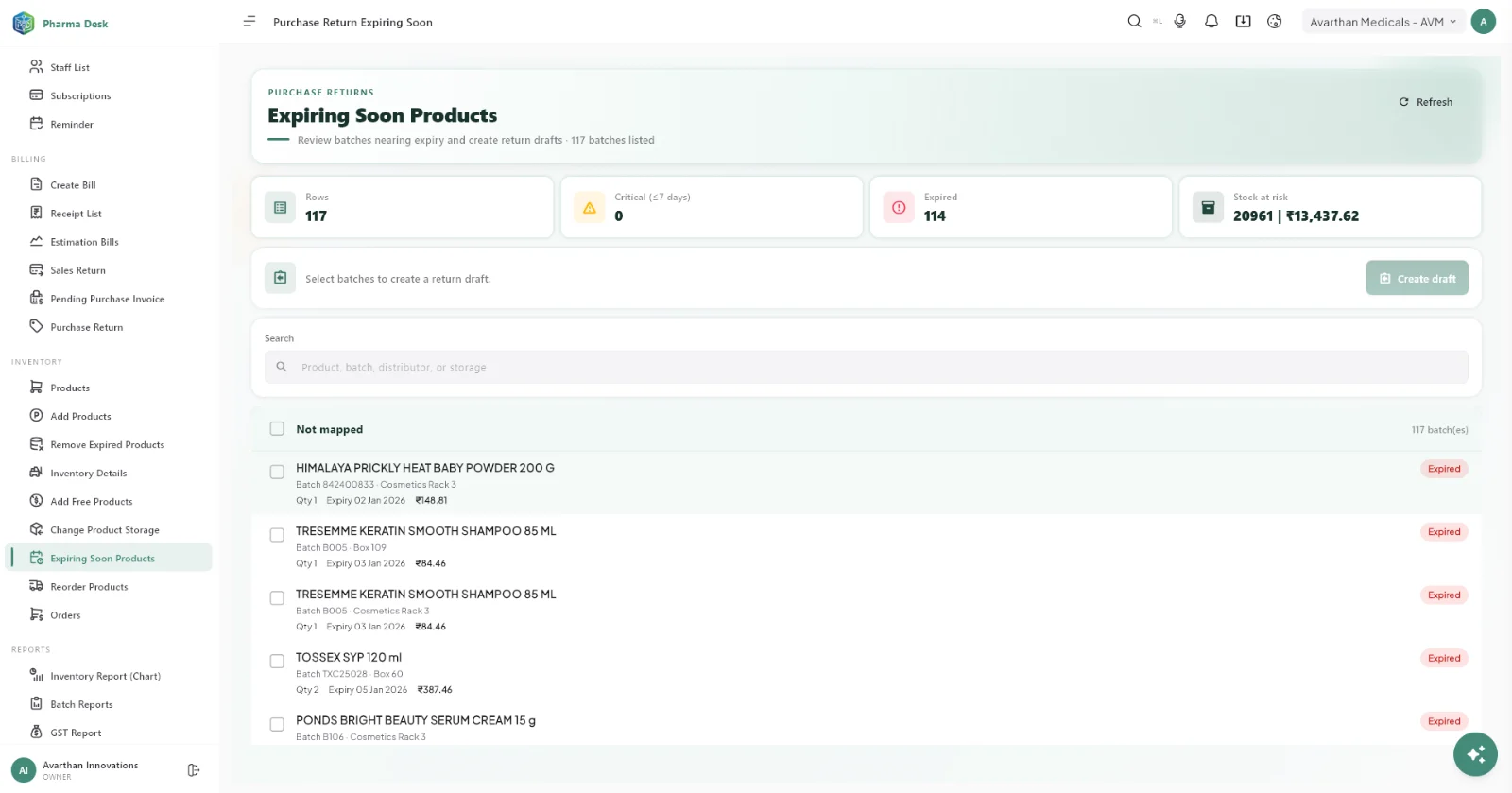
- Every sale and purchase is recorded against a batch, so expiry is tracked automatically.
- Low-stock alerts replace guesswork when placing orders.
- Supplier purchases are easy to find and match.
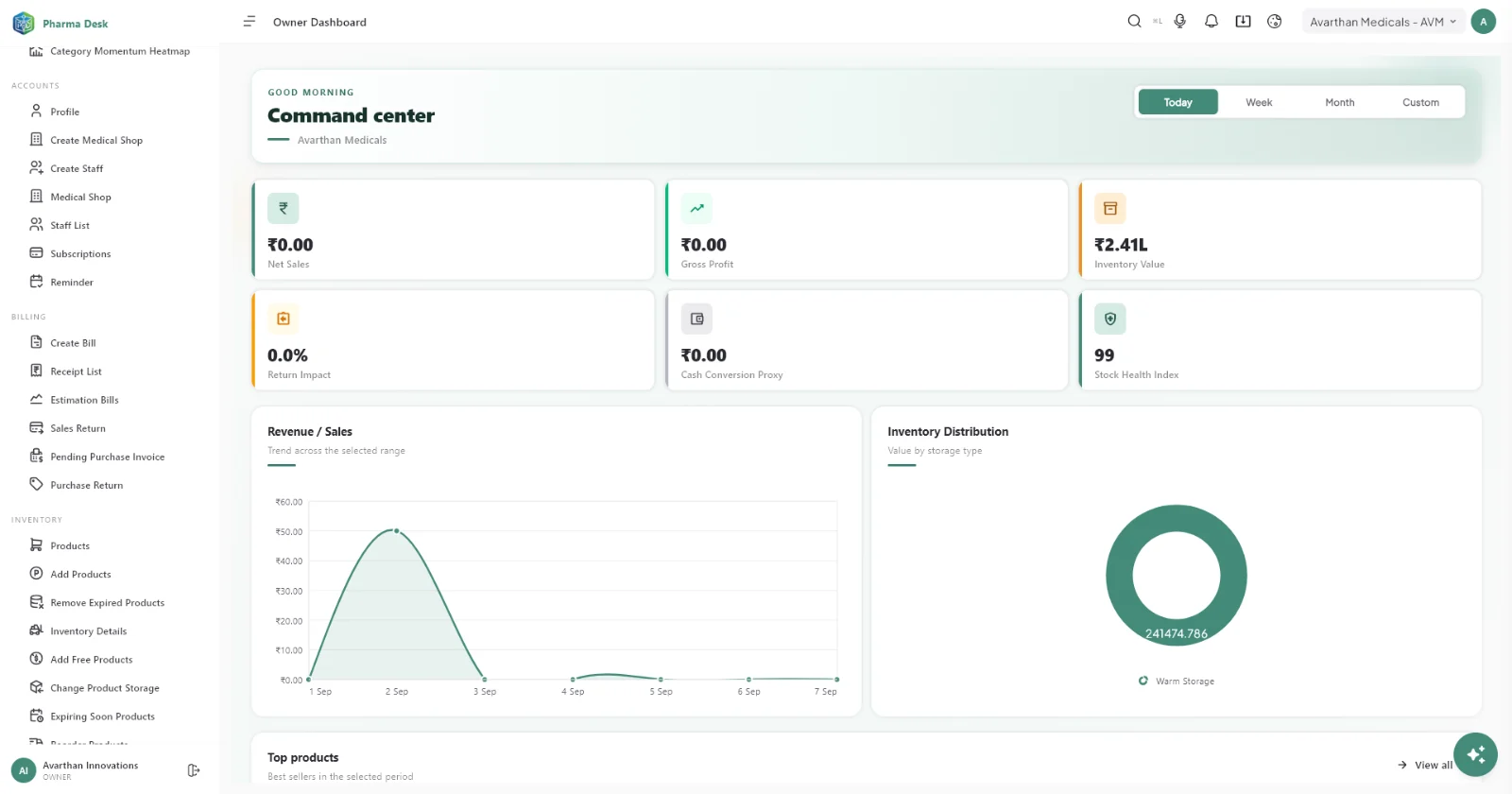
- The owner sees sales, stock value and profit on the business dashboard instead of waiting for month end.
Local help with the switch
Raymond Cardoza Enterprises is an affiliate partner for PharmaDesk and helps pharmacies with installation, setup and onboarding, with product support from Avarthan Innovations. See PharmaDesk from Raymond Cardoza Enterprises.
Frequently asked questions
Do we have to close the pharmacy to switch?
No. The medicine list, suppliers and stock are prepared in stages, and billing moves over only when the team is ready.
What happens to our old records?
Current stock is entered as opening stock with batches and expiry. Older paper records can be kept for reference.
How long does training take?
Billing is the first thing staff learn and is kept simple. Most counter staff are comfortable after a few practice sessions.
 PharmaDeskPharmacy management software
Book a free PharmaDesk demo
See PharmaDesk working with your own setup. Book a free demo and get your questions answered by our team.
Call +91 77965 99659 · info@getpharmadesk.com · www.getpharmadesk.com
This case study describes a typical setup based on situations businesses bring to us; details vary by business. Buying through Raymond Cardoza Enterprises? See why pharmacies choose PharmaDesk from RCE, including installation, setup and ongoing support.