
Quick answer: A medicine master is the list every bill, purchase and report depends on. When the same medicine is saved under three names or with the wrong pack size, billing slows down and stock figures go wrong. PharmaDesk keeps one organised medicine database with categories, MRP and stock status, so staff find the right item quickly and reports stay accurate.
Ask any pharmacist what slows the counter, and searching for the right item comes near the top. The root cause is usually the medicine master: the product list inside the billing system.
What goes wrong with a messy medicine list
- Duplicates: the same medicine saved under different spellings, splitting its stock.
- Wrong pack details: strips and boxes mixed up, so quantities do not add up.
- Missing categories: reports cannot show what sells by category.
- Outdated MRP: prices that no longer match the pack on the shelf.
How PharmaDesk keeps the medicine database clean
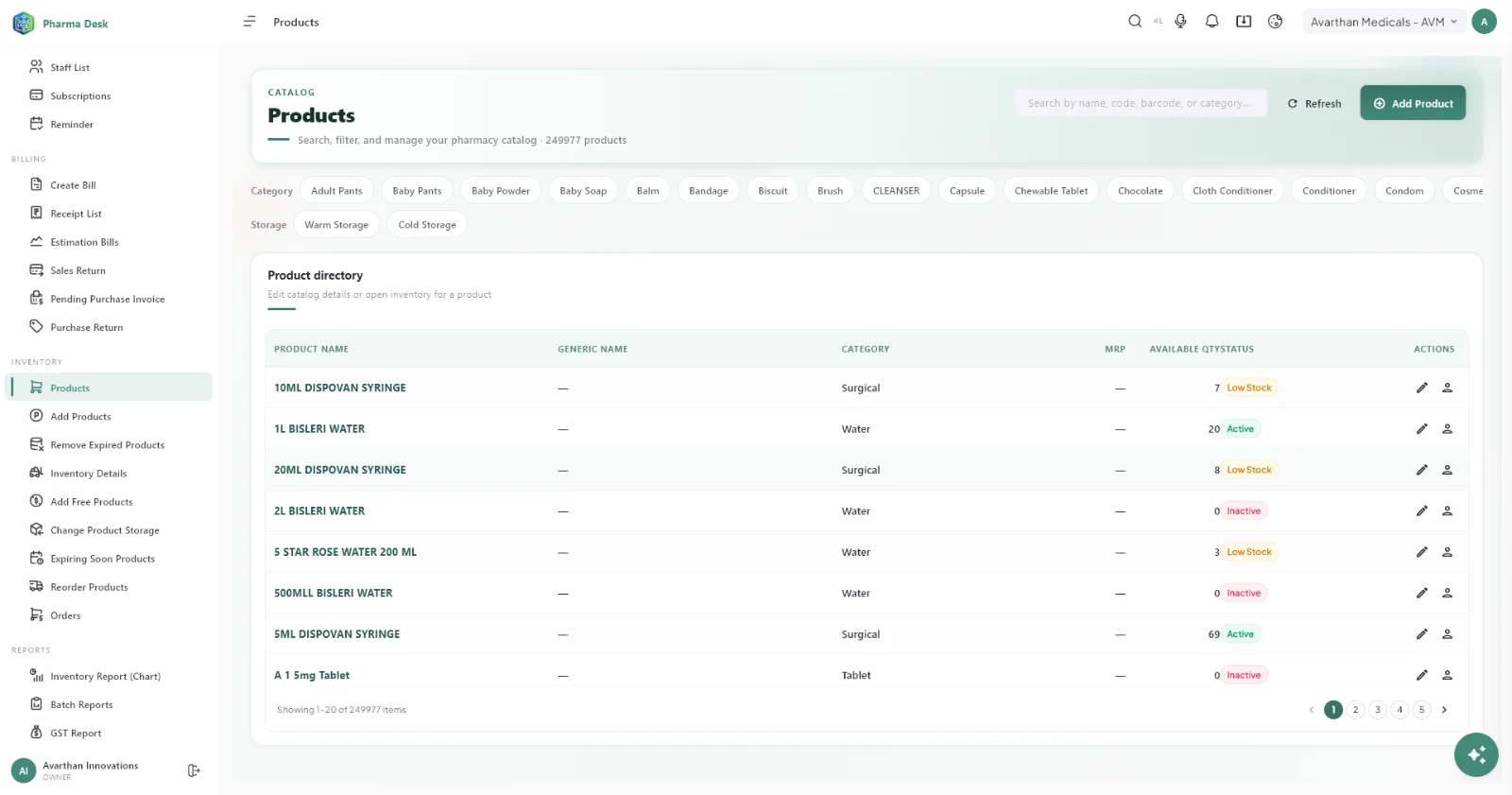
- One product catalogue with category, MRP, available quantity and stock status in one view.
- Consistent naming so every staff member finds the same item the same way.
- Linked batches: each medicine carries its batches and expiry dates underneath.
- Stock status at a glance for items that are low or out of stock.
Simple habits that keep it clean
- Add new medicines in one agreed format.
- Check for an existing item before creating a new one.
- Review slow and zero-stock items periodically.
- Update MRP when new stock arrives at a new price.
Frequently asked questions
Why does the medicine master affect reports?
Reports add up sales and stock by product and category. If a medicine is split across duplicates, its figures are split too.
Can categories be used for reporting?
Yes. Medicines are organised by category, which helps you see which categories sell and where stock is tied up.
Does a clean catalogue help ordering?
Yes. Accurate stock by product makes low-stock alerts and purchase decisions reliable.
 PharmaDeskPharmacy management software
Book a free PharmaDesk demo
See PharmaDesk working with your own setup. Book a free demo and get your questions answered by our team.
Call +91 77965 99659 · info@getpharmadesk.com · www.getpharmadesk.com
Buying through Raymond Cardoza Enterprises? See why pharmacies choose PharmaDesk from RCE, including installation, setup and ongoing support.